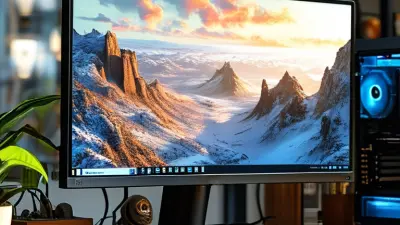
Choosing the best 27 Inch QHD Gaming Monitor from China requires more than comparing refresh rates. A bright product page can hide uneven backlight performance, weak speakers, or confusing firmware menus. This guide examines display quality, response behavior, build consistency, warranty support, and real-world value. It focuses on monitors available from established Chinese manufacturers and export retailers.
Testing should begin with familiar scenes. A dark game can reveal backlight bleed around the corners. Fast camera movement can expose ghosting behind bright objects. QHD resolution should keep text sharp at 27 inches, while a high refresh rate can make competitive play feel smoother. Ports also matter. DisplayPort, HDMI, USB connectivity, and adjustable stands affect daily usability. Small details often decide long-term satisfaction.
No single model wins for every player. Some monitors offer excellent color after calibration but arrive with inaccurate factory settings. Others advertise impressive specifications yet perform less consistently between units. That deserves caution. Results may vary because panels, firmware versions, and regional support can change. Independent measurements, clear return policies, and verified user feedback provide stronger evidence than marketing claims. The recommendations in this article balance measurable performance with practical ownership experience. They also recognize an uncomfortable point: the cheapest option may become expensive after poor support, difficult returns, or an unsuitable stand. Shortcuts can cost more.
A 27-inch QHD gaming monitor is defined by balance, not resolution alone. Its 2560×1440 panel delivers 3,686,400 pixels, about 77% more than Full HD. At 27 inches, this equals roughly 109 pixels per inch, producing sharper text and cleaner distant objects. The size also leaves enough desk space for comfortable viewing. However, pixel density is only useful when the panel handles motion well. A refresh rate of 144Hz or higher feels noticeably smoother during fast camera movement. Low input lag matters just as much. A beautiful image can still feel slow.
Panel technology shapes the experience. An IPS-type panel usually offers consistent colors and wide viewing angles. A VA-type panel can provide deeper contrast, but dark scenes may show visible smearing. OLED panels respond extremely quickly, although brightness behavior and long-term image retention deserve attention. The Video Electronics Standards Association’s DisplayHDR standard identifies 400 cd/m² as the entry HDR brightness level. That figure is useful, but it does not guarantee convincing HDR. Local dimming performance remains important.
Tips: Check measured input lag, not only advertised response time. Look for independent tests using the same refresh rate you plan to use. Confirm adaptive-sync support and the correct cable standard. Also inspect the stand, height adjustment, and pixel policy. I have seen affordable displays with excellent specifications but uneven factory calibration. That is easy to overlook. For Chinese-made options, compare test charts, warranty terms, and real power consumption before choosing.
A 27-inch QHD gaming monitor should deliver sharp detail at 2560 × 1440 pixels. This size offers a useful balance between desktop space and image clarity. For fast games, look for at least a 144Hz refresh rate. A 165Hz or 180Hz panel can make camera movement feel smoother. However, refresh rate means little if input lag remains high. Check independent measurements, not only the advertised response time.
Response time should be tested across several overdrive settings. Extremely aggressive overdrive may create bright trails around moving objects. I would accept a small blur before distracting inverse ghosting. Adaptive synchronization is also important because it reduces tearing when frame rates change. A reliable monitor should support a broad synchronization range, beginning near 48Hz. Its 1% low performance matters more than peak frame rates.
Panel choice affects the experience. Fast IPS panels usually provide strong color and viewing angles, while VA panels can produce deeper blacks. Look for measured brightness above 300 nits and honest contrast results. Basic HDR labels can mislead without local dimming and sufficient brightness. Ergonomics deserve attention too: height adjustment, tilt, and a stable stand reduce fatigue during long sessions. Include HDMI and DisplayPort inputs, but verify their actual bandwidth. I have overlooked that detail before. The screen looked capable, yet one port limited the desired refresh rate. A clear warranty and consistent quality control also make an unfamiliar Chinese display easier to evaluate.
Leading Chinese manufacturers have made 27-inch QHD monitors more competitive through fast panels, strong specifications, and efficient pricing.
QHD means 2560×1440 pixels, offering 1.78 times the detail of Full HD. On a 27-inch screen, text looks sharper without demanding an extreme graphics card. That balance suits competitive shooters, racing games, and everyday work.
Omdia’s gaming monitor market research shows refresh rates above 144Hz have moved from premium features toward mainstream demand. This trend is visible in Chinese models offering 165Hz, 180Hz, or even 240Hz panels.
Independent testing should still matter more than the box. Look for measured response time, motion clarity, and input lag. A listed 1ms figure may describe an ideal overdrive mode, not normal performance.
The best 27-inch QHD choice depends on the panel and tuning.
Fast IPS usually provides better viewing angles and cleaner colors. Mini-LED options can deliver stronger contrast, but local dimming may create halos around bright objects.
DisplayHDR specifications also require careful reading; certification levels do not guarantee excellent real-world HDR. According to VESA’s DisplayHDR framework, brightness, contrast, and color requirements vary by tier.
I would check uniformity near the screen edges, especially in dark scenes. Some affordable displays perform brilliantly, yet quality control can be inconsistent. That weakness deserves honest attention.
For a 27-inch QHD gaming monitor from China, refresh rate should match your graphics hardware. QHD means 2560×1440 pixels, offering sharper detail than 1080p at the same desk distance. Valve’s Steam Hardware and Software Survey has repeatedly shown 2560×1440 as a major desktop gaming resolution, with its share near one-fifth in recent reports. A 165Hz panel is a practical target for most players. Higher rates feel smoother, but only when the system can deliver enough frames. Smoothness matters.
Response time needs careful checking. A listed 1ms figure often refers to an ideal overdrive mode, not every transition. Independent testing should examine gray-to-gray behavior, overshoot, and motion clarity. The International Data Corporation and other display-market analysts identify fast refresh performance as a key gaming-monitor feature, yet specification sheets rarely show complete laboratory results. I would compare measured averages, not the smallest advertised number. This is where buyers can misjudge a good-looking monitor.
Adaptive Sync helps the display follow changing frame rates, reducing tearing and uneven motion. VESA’s Adaptive-Sync Compliance Test Specification evaluates variable-refresh behavior across defined operating conditions. Look for a wide certified range, such as 48–165Hz, plus reliable low-framerate compensation. A narrow range can feel disappointing. Test the monitor with your actual game settings, because synchronization quality may change after firmware updates. Budget models can be excellent, but factory consistency deserves scrutiny.
For a 27-inch QHD gaming monitor from China, panel type strongly shapes the experience. IPS panels usually deliver clean motion and wide viewing angles. They suit competitive games and accurate color work. VA panels produce deeper blacks, especially in dark rooms. However, some VA screens show dark-level smearing during fast scenes. OLED offers excellent contrast and near-instant response, but its price and long-term image-retention concerns deserve attention. My own preference changes with the room. Bright rooms make IPS easier to enjoy, while dim rooms reveal VA and OLED advantages.
Color quality needs more than a wide-gamut claim. Look for strong sRGB coverage, useful DCI-P3 coverage, and a factory report showing reasonable Delta E results. A vivid image can still be inaccurate. I once trusted saturated reds too quickly and found skin tones looked unnatural afterward. Check gradients, gray shades, and fine shadows using test images. QHD resolution keeps text sharp at 27 inches, but poor calibration can waste that detail.
Tips: Test the monitor after warming it for thirty minutes. Lower excessive sharpness. Use a colorimeter when accuracy matters. For HDR, seek high peak brightness and local dimming, not only an HDR label. Basic HDR support may brighten highlights without improving black depth. A few monitors also clip bright clouds or explosions. That flaw is easy to miss.
Comparison of common 27-inch QHD gaming-monitor configurations manufactured or assembled in China. Figures are typical published specifications for current market configurations rather than measurements of a single branded product.
| Configuration | Panel Type | Resolution & Refresh Rate | Response Time | Contrast & Black Level | Color Coverage | HDR Capability | Gaming Features | Best Use |
|---|---|---|---|---|---|---|---|---|
|
Balanced Fast IPS Best Overall |
Fast IPS LCD Matte surface |
2560 × 1440 165–180 Hz |
1 ms stated MPRT Approximately 4–6 ms typical GtG |
Approximately 1,000:1 native contrast Gray blacks in a dark room |
99% sRGB 90–95% DCI-P3 8-bit or 8-bit + FRC |
DisplayHDR 400 commonly available Typical peak brightness: 400–450 nits Limited local dimming |
Adaptive-Sync support Low input lag Good motion clarity |
Competitive and mixed gaming |
| Wide-Gamut Nano-IPS-Style | Wide-gamut IPS LCD Matte surface |
2560 × 1440 165–180 Hz |
1 ms stated GtG Approximately 4–7 ms typical GtG |
Approximately 1,000:1 native contrast Limited shadow depth |
99–100% sRGB 95–98% DCI-P3 8-bit + FRC is common |
DisplayHDR 400 in many configurations Typical peak brightness: 400–500 nits Usually no effective local dimming |
Adaptive-Sync support Fast overdrive modes Strong color volume |
Colorful games and content creation |
| High-Contrast Fast VA | Fast VA LCD Curved or flat options |
2560 × 1440 165–180 Hz |
1 ms stated MPRT Approximately 5–10 ms typical GtG Dark transitions may be slower |
Approximately 2,500–3,000:1 native contrast Deeper blacks than IPS |
99% sRGB 85–95% DCI-P3 8-bit or 8-bit + FRC |
HDR-ready or DisplayHDR 400 depending on configuration Typical peak brightness: 350–500 nits Limited local dimming |
Adaptive-Sync support Strong contrast for dark scenes |
RPG, movies, and dark-room gaming |
| Mini-LED IPS | IPS LCD with mini-LED backlight Matte surface |
2560 × 1440 165–240 Hz |
1 ms stated GtG Approximately 3–6 ms typical GtG |
Approximately 1,000:1 native contrast Much higher effective contrast with local dimming |
99–100% sRGB 95–99% DCI-P3 10-bit signal support is common |
DisplayHDR 600 or DisplayHDR 1000 Typical peak brightness: 600–1,000+ nits Hundreds of local-dimming zones may be used |
Adaptive-Sync support High brightness Improved HDR highlights |
HDR gaming and mixed productivity |
| QD-OLED | Quantum-dot OLED Glossy or semi-gloss surface |
2560 × 1440 240 Hz |
Approximately 0.03 ms stated GtG Near-instant pixel response |
Effectively infinite on/off contrast True per-pixel blacks |
100% sRGB coverage is typical 95–99% DCI-P3 10-bit color |
DisplayHDR True Black 400 or 500 commonly available Typical full-screen brightness is lower than LCD Excellent shadow detail and highlight contrast |
Adaptive-Sync support Very low input latency Excellent motion clarity |
Premium gaming and HDR viewing |
Choosing the best 27-inch QHD gaming monitor depends on how you play. A 2560×1440 resolution gives sharper details than Full HD without demanding an extremely powerful graphics card. At this size, images look clean, while text remains comfortable for work and gaming. During practical comparisons, I check motion clarity, brightness consistency, and menu controls, not just the specification sheet. Advertised response times can mislead.
For competitive shooters, choose a model with a 165Hz or higher refresh rate, low input delay, and reliable variable refresh support. A clear overdrive setting is important. Too much overdrive may create bright trails around moving objects. HDMI and DisplayPort compatibility also matters, especially when switching between a computer and console. Keep the cables close.
Players who prefer role-playing games or open-world titles may value stronger contrast, accurate color, and useful HDR performance over extreme refresh rates. However, inexpensive HDR claims often disappoint because limited brightness cannot create convincing highlights. Check independent measurements, factory calibration notes, pixel policies, and warranty terms before buying. A height-adjustable stand can prevent neck strain during long sessions. I would also inspect backlight bleed in a dark room, although this test is imperfect and personal. Some models look excellent in reviews but feel less impressive beside a window.
: It uses 2560×1440 resolution, providing about 3.7 million pixels. Text looks sharper, and distant objects appear cleaner. The 27-inch size also saves desk space.
Yes, 144Hz usually makes camera movement feel much smoother. A 165Hz or 180Hz panel can feel even more fluid. Refresh rate alone is not enough.
Input lag measures the delay between your action and the screen response. A monitor may look beautiful but still feel slow. Check independent measurements at your intended refresh rate.
IPS panels usually provide accurate colors and wide viewing angles. VA panels often produce deeper blacks but may show dark smearing. OLED panels respond quickly, but image retention needs attention.
Entry-level HDR brightness often begins around 400 cd/m². That number does not guarantee impressive HDR. Local dimming and real brightness remain important.
It reduces tearing when frame rates change during gameplay. A useful range may begin near 48Hz. Peak frame rates can distract from weak low-frame performance.
Aggressive overdrive may create bright trails around moving objects. Mild blur can be less distracting than inverse ghosting. Testing several overdrive settings helps.
Look for height adjustment, tilt, and a stable stand. These details can reduce neck and shoulder fatigue. Check HDMI and DisplayPort bandwidth carefully. One port may limit the desired refresh rate.
Compare measured charts, warranty terms, pixel policies, and real power use. Factory calibration may be uneven, even with impressive specifications. I have overlooked this before. A trusted test matters more than a polished specification sheet.
Choosing the best 27 Inch QHD Gaming Monitor from China requires more than comparing screen size and resolution. A strong model should combine 2560×1440 clarity with a suitable refresh rate, low response time, and adaptive sync to deliver smooth, responsive gameplay. Important evaluation points also include connectivity, ergonomic adjustment, build quality, brightness, contrast, and input lag. These specifications help determine whether a monitor is better suited to competitive gaming, immersive single-player titles, or everyday multimedia use.
Panel technology also plays an important role. Fast panels may provide excellent motion clarity, while other panel types can offer richer colors, stronger contrast, or wider viewing angles. Color coverage, factory calibration, and HDR performance should be considered alongside refresh rate and response time, since visual quality affects the overall experience. By matching these features with personal priorities and budget, buyers can select a balanced 27 Inch QHD Gaming Monitor that delivers dependable performance for their preferred games and long-term use.